
Disclosure: SparkFun presents this as a sponsored project. SparkFun featured Jeremy Cook's Portable Teensy Synth in a SparkFun News post on October 15, 2026, under the subtitle "A Synth for The End of the World — With Teensy 4.1". It is a self-contained polyphonic synthesizer built into a hard case, with arcade buttons for keys, built-in speakers and a USB power supply, and it can also be connected to larger systems. It is a documented build, not a product for sale, so it has no price. The companion SparkFun Learn tutorial went up on October 6, 2026, nine days before the feature. Cook says the result "should be considered a prototype, not a finished product."
What the instrument does
The playing surface is one octave, C3 to C4, laid out as a piano keyboard of arcade buttons: eight for the white keys and five for the black. Two buttons above the keyboard shift the octave up and down, and four more beside them trigger drum hits and other samples. The keyboard plays up to four voices at once, and samples can sound at the same time as keyboard notes.
The case also has a main power toggle switch, a 10k volume potentiometer, a side-mounted 3.5 mm aux jack for external devices, and a momentary speaker mute button with its own LED.
How it is built
The tutorial lists the core electronics:
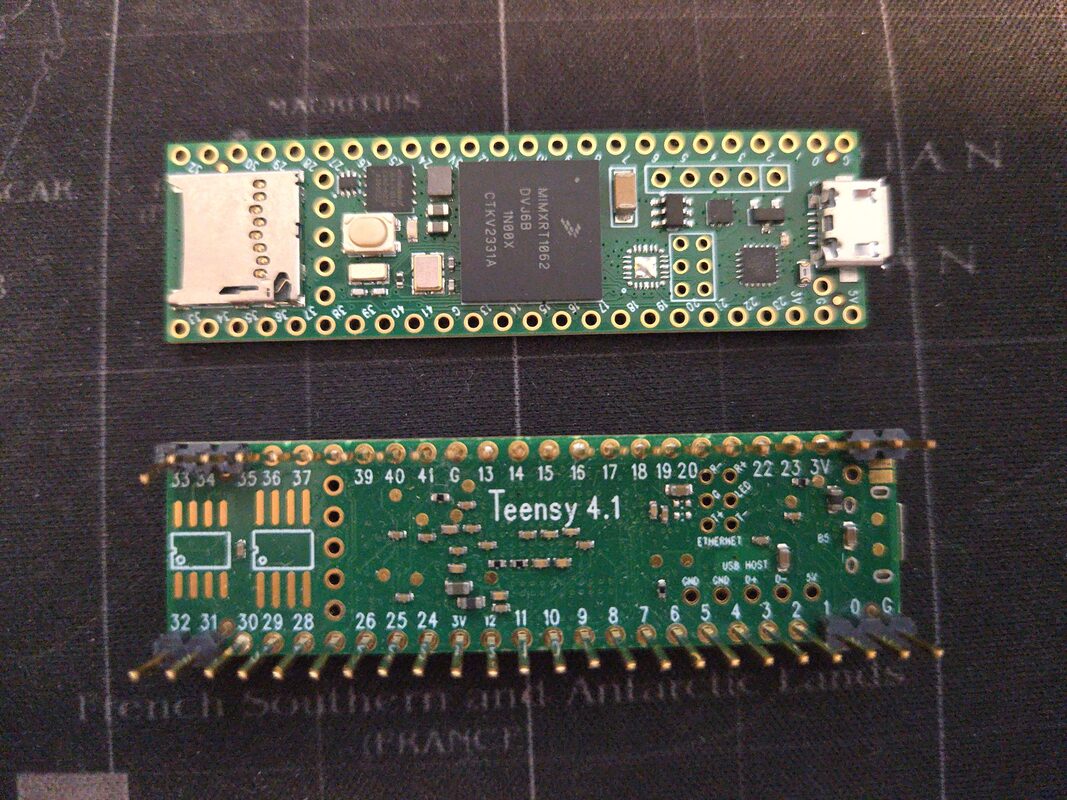
- Teensy 4.1
- Teensy audio shield (Rev D), which takes the microSD card
- SparkFun Qwiic Speaker Amp, with two speakers on its left and right screw terminals
- microSD card holding the sample files
- USB lithium-ion battery, connected through a bulkhead USB-B/USB-A connector on the case
Cook used a lockable Teensy 4.1 by accident. He says this should not change the build process or how the synth works compared with a standard 4.1, unless you want to secure your code. For new samples, the tutorial says to save clips at a 44.1 kHz sample rate and 16 bits per sample, and Cook found mono suitable for this application.
The top of the box is cut with hole saws for the buttons and the two speakers, so the whole instrument can be carried and played on its own speakers. Cook describes the case he used as "dimensions good, a bit flimsy." Power comes from an off-the-shelf USB battery rather than a dedicated cell. The tutorial notes that many USB batteries, including the one it lists, go to sleep when nothing draws current, and that the listed pack does not supply power while it is charging. Anyone building one should follow Cook's documentation for the power setup, and the tutorial says to build at your own risk.
Where the files are
The design is in the PolyphonicSynth folder of Cook's JeremySCook/teensy repository on GitHub. The main sketch is PolyphonicSynth-Case.ino. The folder also holds GUI design files, an experiments folder, a resources folder with the panel layouts as DXF and PDF files, and a samples folder. The folder's README still describes the project in one line: "Polyphonic 4-button synth for the end of the world!"
The two sources are licensed differently. The SparkFun tutorial is published under CC BY-SA 4.0. The GitHub repository shows no license, so the code and panel files come with no explicit permission to reuse, modify or redistribute them.
Check one wiring detail before you build: the tutorial puts the volume potentiometer's wiper on analog pin 17 and the mute LED on GPIO 17, with the mute switch on GPIO 16. Compare these against the pin definitions in PolyphonicSynth-Case.ino before wiring.
What It Means for Makers
This project suits people who already use the Teensy ecosystem, or want a reason to start, and who want a playable, portable instrument rather than a desktop module. The parts list is built around the Teensy 4.1 and the Rev D Teensy audio shield. The amplifier is SparkFun's Qwiic Speaker Amp, so part of the build depends on SparkFun's catalogue. Keep the sponsorship in mind when weighing that choice.
Cook calls it a prototype, so treat the repository as a starting point rather than a finished kit. The DXF and PDF layouts in the resources folder help if you want to fabricate a similar case. The samples folder shows the file names the sketch expects, which makes it easier to swap in your own sounds. If you choose a different USB battery, check how it behaves under light load and while charging, given the sleep problem the tutorial describes. If you plan to publish a derivative of the code or panels, ask Cook about licensing first.
The full parts list and assembly steps are in the SparkFun Learn tutorial, and the source files are on GitHub.
