
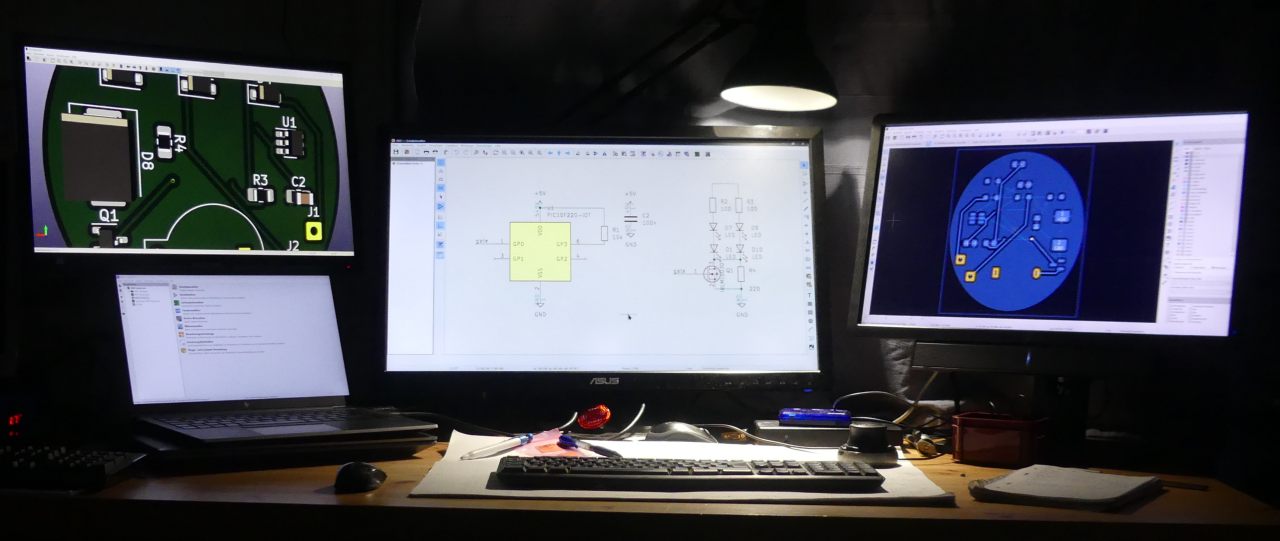
Two people cannot open the same KiCad board and work on it at once. Teams get around this with Git, by passing files back and forth, or by agreeing in chat on who is editing the board right now. Junction is a new open-source project that takes another route. It forks KiCad and builds real-time collaboration into the schematic and PCB editors, so several people can work on one design at the same moment, either in a browser tab or in a desktop app.
The project published v2.2.2 on 2026-11-22, according to its GitHub release notes. v2.2.1 and v2.2.0 both came out five days earlier, on 2026-11-17. Junction is licensed under GPL-3.0. Its README says the name "changed from KiCad Collaborative at 2.0.0." GitHub's repository metadata shows it was created on 2026-08-03, so the project is less than four months old. We could not find any independent press coverage or third-party testing. Everything below is what the project says about itself, and readers should treat it that way.
A fork, not a plugin
This is the most important point for anyone thinking about trying it. The README says Junction is a fork: you run Junction's own build of KiCad, and nothing gets added to a stock KiCad install. The README says the fork follows upstream KiCad master, with changes merged through 2026-11-17, and that its About dialog reads "based on KiCad 10."
That differs from what most KiCad users have installed. At the time of writing, the latest stable upstream release on the KiCad blog was KiCad 10.0.8, a bug-fix release published 2026-10-30. Before that came 10.0.7 on 2026-10-07. Junction follows the development branch, not the 10.0.x stable line. In practice this means Junction may include upstream changes that stable users don't have yet. Development-branch code has not gone through a stable release cycle.
The README also says plainly that Junction is not affiliated with or endorsed by the KiCad project. Bugs you hit in Junction belong on Junction's tracker, not KiCad's.
On file compatibility, both the project site and the README say Junction opens projects from KiCad 6 through 10 without conversion. There is one requirement for teams: everyone working in a shared project should be on Junction 2.0 or later.
What the collaboration layer does
The README and the project site at junctioneda.com list these collaboration features:
- Live cursors and live edits in both the schematic and PCB editors. The v2.2.0 release notes say cursor presence now takes a fast lane through the server.
- Version history covering the last 30 days. The project also describes named versions and branches.
- Roles: editor, commenter and viewer.
- Review comments, which the project describes as threads pinned to parts and nets.
- Offline desktop mode. The project says edits made offline merge back in when you reconnect.
- Plugins, a 3D viewer, and SPICE simulation that runs in the browser tab.
- Fabrication outputs: Gerber, drill, placement and BOM, with presets for JLCPCB and PCBWay.
- GitHub sign-in, plus GitHub sync as the project describes it. Public projects can be browsed without an account.
The README is candid about how conflicts are handled. If two people change the same text field at the same instant, the later value wins. The README says there is no merge inside one property. The README also warns that undo restores your version of an item even if a collaborator changed it since.
What changed in 2.2.x
The three releases this month mostly deal with getting parts into a design.
v2.2.2 (2026-11-22). The Choose Symbol dialog can now search vendor parts by LCSC number (the release notes give C1550762 as an example), by manufacturer part number, or by plain words. It shows matching parts from LCSC, Mouser and DigiKey. You need to be signed in to Junction to use the search. When you place a part, its symbol and footprint are saved into the project itself, in collab-libs/LCSC.kicad_sym and LCSC.pretty. Because the libraries are stored in the project files, the parts travel with the project. Release assets are a Linux x64 tar.gz, a macOS dmg and a Windows x64 exe.
v2.2.1 (2026-11-17). Adds import of EasyEDA Pro .eprj files and fixes EasyEDA Standard import.
v2.2.0 (2026-11-17). Brings the fork up to date with upstream KiCad master as of 2026-11-17, speeds up live cursor presence, and adds an in-app update notice. At start-up the app asks junctioneda.com for the newest release; the release notes say you can turn this off in Preferences, Packages and Updates, or in the first-run wizard.
The AI angle, as the project describes it
Junction runs an MCP (Model Context Protocol) endpoint at https://junctioneda.com/mcp, and its site has a section called "Design with an AI." According to the README, an MCP-capable AI app such as Claude, ChatGPT, Gemini or Cursor, or a local model, can connect and read or edit a Junction project. You sign in once and choose whether the assistant may make changes, and project roles apply to it as they do to a person. The README says the model is your AI app's and Junction never calls one itself.
The project adds its own warnings. It says boards produced with AI need human review. It also says its demo Raspberry Pi Pico board has never been ordered or powered. That is an honest disclosure, and it is a reminder that a design an AI can edit is not a design that has been checked. ERC, DRC and a careful look at the BOM are still your responsibility.
Platform maturity and self-hosting
Junction ships builds for macOS, Windows and Linux and also runs in the browser. The README says the Windows and Linux builds have had less hands-on use than macOS. If you are on either of those, expect to find rough edges.
You can run your own server. The README says to self-host with cargo run in the server/ directory, which suggests a Rust backend, and you also need a Postgres database. The vendor part search does not work out of the box on a self-hosted server. You have to supply your own Mouser and DigiKey API keys. The sources do not say whether the LCSC lookup needs keys.
What It Means for Makers
Who it is for: small hardware teams, makerspaces, classrooms and open-hardware projects where more than one person edits the same board. Without a shared-editing tool, those groups typically take turns or pass files around. An educator could use viewer and commenter roles to review student layouts live. Two engineers in different locations could route a board together, one on the schematic and one on the PCB.
What it replaces or enables: taking turns on a board while it is being drawn, and leaving review comments as screenshots in chat. The project's comments are pinned to parts and nets, and its history covers the last 30 days of edits. The vendor search that saves parts into the project is a practical feature for people who order assembled boards from JLCPCB and similar fabs.
What it doesn't replace: stock KiCad as your daily tool, unless you are willing to run a fork that follows the development branch, is less than four months old, and has no endorsement from upstream. Project files stay KiCad-format, which limits lock-in. Even so, check that a design opens cleanly in a stable KiCad 10.0.x build before you rely on it for production.
Price and availability: v2.2.2 is shipping now as a GitHub release for Linux x64, macOS and Windows x64, and runs in the browser through junctioneda.com. The source code is GPL-3.0. None of the sources we checked give a price for the hosted service, and a server you run yourself costs whatever your hardware and Postgres setup cost. Status: released, self-described, and so far not independently reviewed.
