
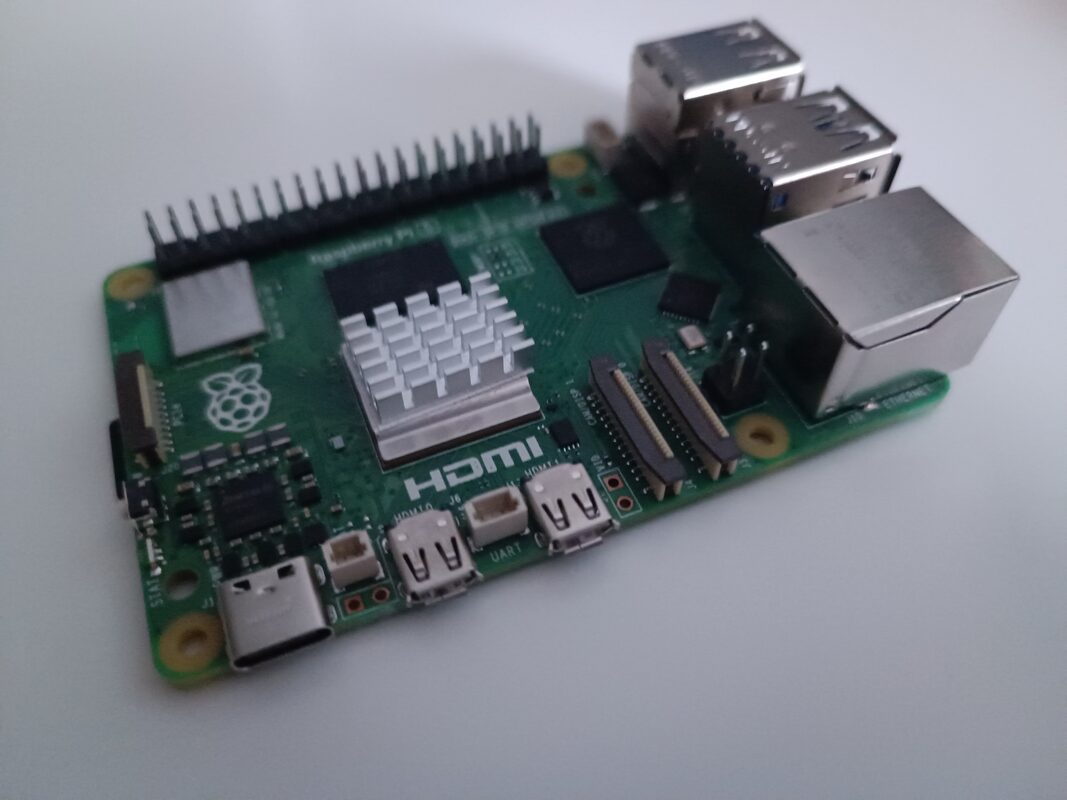
On September 22, 2026, Raspberry Pi published hands-on results for Needle 2, a small language model from Cactus Compute. Needle 2 turns plain-English requests into calls to local Python functions. Raspberry Pi ran it on a Raspberry Pi 5 (8GB) using only the CPU, with no AI HAT. Each complete() call took between 76 ms and 149 ms. The model ships as a 14MB file, and Cactus Compute has released both the weights and the code under the Apache 2.0 license. Raspberry Pi installed version 2.0.7 of the cactus-needle Python package with pip. After the first download, the model runs locally with no cloud API or network connection.
A developer declares the functions the model is allowed to call, and the model maps a sentence like "Turn the LED on." to one of them. Eben Upton, Raspberry Pi's CEO, gave his verdict in the Raspberry Pi post: "Needle 2 is rather excellent".
What the model is
The Hugging Face model card presents Needle 2 as an open 45M-parameter model for tool calling, device use and structured extraction. The weights are compressed to CQ2-bit with Cactus Quants, Cactus's own quantisation, and ship as a single 14MB binary that runs a full session in about 28MB of RAM.
Cactus calls the architecture a Simple Attention Network. Its parts are a Hadamard MLP in place of the usual feed-forward block, GQA attention, engram key-value memory and multi-lane hyper-connections, and the card points to a paper at arXiv:2607.18363. Each call carries a confidence score, and the card suggests acting only above a threshold the developer picks and re-asking or routing to a larger model below it. A request that no declared tool can serve returns the empty call [].
How Raspberry Pi tested it
The test machine was a Raspberry Pi 5 (8GB) running Raspberry Pi OS, with inference on the CPU and no accelerator attached. The demo declared five tools with the @needle.tool decorator (set_led, get_temperature, blink_led, take_photo and save_note), using vcgencmd for the temperature reading and rpicam-still for photos. It sent six prompts. Five mapped to a tool. The sixth, a general-knowledge question, had no matching tool. Latency is the wall-clock time of one complete() call, measured before the selected function runs:
| Prompt | Call | Prefill (tok/s) | Decode (tok/s) | Latency |
|---|---|---|---|---|
| "Turn the LED on." | set_led | 488 | 296 | 78 ms |
| "How hot is this Raspberry Pi?" | get_temperature | 487 | 303 | 149 ms |
| "Blink the LED 2 times." | blink_led | 475 | 314 | 83 ms |
| "Take a photo." | take_photo | 461 | 248 | 76 ms |
| "Save a note that says the cooler is working." | save_note | 475 | 305 | 107 ms |
| "What is the capital of France?" | (none) | 470 | 297 | 92 ms |
For the France question, Needle 2 returned an empty call list instead of inventing a call. Raspberry Pi measured the native session at about 28MB. The complete Python process, interpreter included, peaked between 43MB and 46.4MB.
Vendor numbers versus Raspberry Pi's numbers
Cactus's model card claims decode speeds of about 500 tokens per second on a Raspberry Pi 5. In Raspberry Pi's run, decode speeds ranged from 248 to 314 tok/s across the six prompts. The 500 tok/s figure is Cactus's claim. The table is Raspberry Pi's measurement of one configuration: an 8GB board, CPU only, cactus-needle 2.0.7.
Cactus also says Needle "trades wins" with FunctionGemma 270M, LFM2.5 230M and Apple FM while being "5x to 70x smaller", with Needle's 2-bit weights set against their f16. That comparison is the vendor's own. The card also notes that others have reported running Needle on an ESP32-S3 in about 11MB, and it gives no details of their setup or speed.
Where it sits in the Needle lineup
Needle 2 is no longer the newest model in the project. The cactus-compute/needle GitHub repository describes Needle as an "Automation foundation model for tiny devices" that covers tool calls, structured extraction, embeddings and speech-to-text. Needle 3, now the repository's default, has 121M parameters. Most of them sit in engram memory, and Cactus says the 121M model "does the arithmetic of a 50M one." Cactus's own benchmark claims cover Needle 3, while Raspberry Pi tested only Needle 2. The repository gives the size of a whole Needle model as "8-29 MB" in a single binary. Whistle, the project's speech-to-text model, is a single 16.9 MB file that runs on the CPU.
What It Means for Makers
- Who it's for: projects where a typed request should make the board act, such as switching an LED, reading the temperature, taking a photo or saving a note, all handled locally without a cloud API.
- Hardware: the published results apply only to a Raspberry Pi 5 (8GB) on Raspberry Pi OS, using the CPU. Raspberry Pi didn't test other Pi models or RAM sizes.
- Getting it: install
cactus-needlewith pip. The repository also lists prebuilt engines for targets including linux-arm64 and macos-arm64, a C API, aneedleCLI, and WASI among its supported targets. A JavaScript package that runs through WebAssembly is maintained by the community, not by Cactus. - Which generation: to reproduce Raspberry Pi's results instead of running the default Needle 3, pass
generation=2, e.g.needle.Needle(tools=[...], generation=2). - Behaviour to plan around: application code should handle the empty call list and low-confidence calls explicitly, and not assume every request produces an action.
- Licensing: because the weights and code are Apache 2.0, they can go into personal or commercial projects under that license's terms.
