
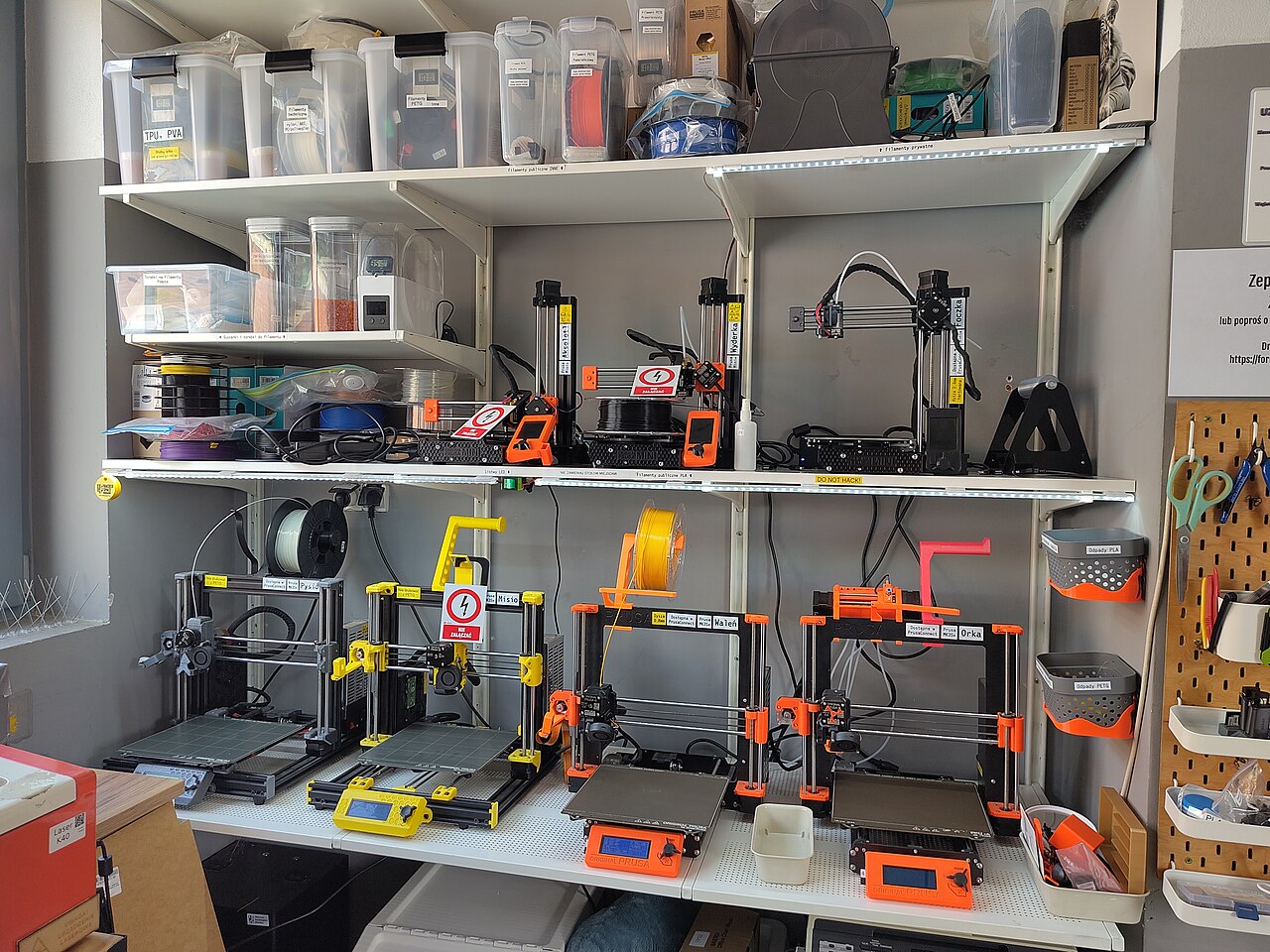
Prusa Research has published a self-hosted version of Prusa Connect, its printer management service. The company's GitHub repository describes it as "a local server for your printers". It ships as a single Go binary with the web app built in. On 2026-11-17 at 09:14 UTC the company published the first public build, v0.1.0-beta.1, and marked it as a pre-release. Hackaday covered the release the next day, 2026-11-18.
The release notes describe it as "a server you run on your own network... Nothing goes through a cloud service." According to the README, accounts, printers, print history and print files all stay on the machine the server runs on. That is a different design from the hosted Prusa Connect most Prusa owners know, and Hackaday frames it as a welcome alternative at a time when some users are wary of the heavier cloud reliance in printers from vendors such as Bambu Lab.
This first beta raises practical questions about what it runs on, what it talks to and what the licence allows. Here is what the sources say.
What exactly was released?
The v0.1.0-beta.1 release on GitHub lists one full-build binary for each target platform:
prusa_connect_amd64: 64-bit Intel/AMD Linux PC or NASprusa_connect_aarch64: Raspberry Pi Zero 2 W, 3, 4 or 5 with a 64-bit system, or another 64-bit ARM Linux machineprusa_connect_armv7: Raspberry Pi 2, Zero 2 W, 3, 4 or 5 with a 32-bit systemprusa_connect_armhf: Raspberry Pi Zero, Zero W or 1prusa_connect_windows_amd64.exeandprusa_connect_windows_arm64.exeprusa_connect_macos_amd64(Intel) andprusa_connect_macos_arm64(Apple silicon, M1 and later)
There are also prusa_connect_minimal_* variants for the same four Linux processor targets, plus a sample config.yaml, a prusa-connect.service unit file, and a SHA256SUMS file with a signature file, SHA256SUMS.sig. The release notes say the minimal build has the API and the printer connection, but no web app, no MQTT, no metrics and no PostgreSQL. The full build includes the web app, the HTTP API, a live event stream, MQTT, SQLite and PostgreSQL storage, and Prometheus metrics. MQTT, metrics and PostgreSQL stay off until the configuration file turns them on.
Because a signature file ships alongside the checksums, there is a way to check a download before running it. The release page's install instructions describe comparing the file's checksum with its line in SHA256SUMS.
What hardware does it run on?
The README says the server runs on "a Raspberry Pi from the Zero up", and lists a NAS, a server, Docker and Kubernetes as other hosts. The armhf build covers the original single-core Pi Zero, Zero W and Pi 1. That is far down the hardware range for a fleet manager with a bundled web front end.
Prusa has not published any per-board performance figures. The only scale number in the README comes from its load test, which runs 400 simulated printers against one server. The README does not say what hardware that test ran on, so nobody should assume a Pi Zero can manage 400 machines. For a typical home or makerspace with a handful of printers, the Pi Zero 2 W and newer boards on a 64-bit OS are covered by the aarch64 build.
Prusa's beta sign-up page gives a sense of the hosts it expects people to use. Its form asks whether you plan to run on a Raspberry Pi Zero, 3, 4 or 5, an old PC or laptop, a NAS, Linux, Windows, macOS, Docker or Kubernetes.
Which printers are supported?
A Prusa driver is built in. The README lists these supported Prusa printers:
- CORE One, CORE One L, CORE One INDX and CORE One L INDX
- MK4 / MK4S
- MK3.9 / MK3.9S / MK3.5 / MK3.5S
- XL
- MINI
The list does not include the original MK3/MK3S. Owners of those machines should check the repository before assuming they are covered.
Printers from other makers are handled through drivers. The README says "anybody can write one", and Hackaday describes this as a driver API for non-Prusa models. The README includes an example driver for Klipper printers that run Moonraker and mentions a community driver that passes the same conformance suite, but the release itself ships only the Prusa driver as built in. Support for other makers' printers depends on drivers people write.
How does it integrate with everything else?
This is where the release matters most to people who already run home-automation or monitoring stacks. The README lists:
- A REST API, with its own reference
- Live events over server-sent events (SSE)
- MQTT
- Event sinks for MQTT, AMQP, Kafka and webhooks
- Login by password or OpenID Connect, with per-person access to printers and actions
- Extensions, installable from a marketplace or built against an SDK
The release notes add Prometheus metrics, in the full build and off until enabled in the configuration.
With MQTT and webhooks you can push print-state changes into an existing broker or automation system without polling. OpenID Connect means a makerspace or lab that already runs an identity provider can sign users in with existing accounts instead of a separate password database. With SQLite and PostgreSQL both available in the full build, a single Pi can run without an external database, and a larger installation can move to Postgres.
The beta sign-up form also asks which features people want: REST API, GraphQL, MQTT, SSE, custom printer connectors and Home Assistant integration. GraphQL and Home Assistant appear only as survey options there, not as shipped features. Treat them as things Prusa is gauging interest in, not things it has delivered.
Is it really offline?
Mostly, with one setting to know about. The README says the server reads the extension marketplace and checks for updates over the internet, and that these two keys in config.yaml switch both off:
core.marketplace.enabled: false
core.upgrade.enabled: false
Printers connect to your own server over your own network, and the README says accounts, printers, print history and print files stay on the host. If you want a server that avoids those outbound checks, for example on an isolated lab VLAN, those two keys are what you change.
How stable is it?
Prusa labels it a beta. The README warns that Prusa Connect is "in public beta", that the releases are 0.x pre-releases, and that the configuration, the API and the extension SDK can change from one release to the next. It tells users to back up their data before updating. Anyone writing integrations against the REST API or the extension SDK now should expect breaking changes.
Prusa also runs a separate beta programme. Its official page offers early alpha and beta builds delivered as updates in the app, a chance to talk to the developers, roadmap voting and a way to track bug reports. The same page says: "You can also download the public version and try it right now. No sign-up needed."
What about the licence?
Prusa Connect is source-available, not open source in the OSI sense. The README says it is released under OCL v1.1 + Micro v1 + NoSaaS v1 + SWAtt v1, which it explains as the Open Community License v1.1 with the Micro Business, Software Specific Use and Software Attribution add-ons. GitHub's licence detection reports it as NOASSERTION, meaning it did not match a recognised SPDX licence. Hackaday describes the code as released under Prusa's Open Community Licence, which puts some restrictions on who can use it, for example requiring large enterprises to have a paid version.
The README summarises the terms. For non-commercial use you may use, copy and change it, and anything you give out that you changed goes out under the same licence, with credit to the original, for example "built on Prusa Connect by Prusa Research". A business may run and change it for its own internal use, including production, up to one million euros of annual gross revenue, affiliates included. A business may not offer it to others as a service, which means no hosting it for third parties and no exposing its functionality or API to them. Anything beyond that needs a separate business licence from Prusa. The README says the LICENSE file holds the four texts and that they are what counts, so read it before building a product or service on the software.
What It Means for Makers
Who it is for: Prusa owners who want fleet management, remote monitoring and print history without depending on Prusa's cloud. Also makerspaces, school labs and small print farms that want to run their own server and connect it to MQTT, webhooks, Prometheus or an OpenID Connect login, subject to the licence terms above.
What it replaces or enables: For supported Prusa machines, it is a local alternative to the cloud-hosted Prusa Connect, running on hardware as small as a Raspberry Pi Zero. The driver API leaves room for mixed fleets that include non-Prusa printers, but only where a driver exists for the model.
Price and availability: The public beta, v0.1.0-beta.1, has been on GitHub since 2026-11-17, with prebuilt binaries for Linux (amd64, aarch64, armv7, armhf), Windows (amd64, arm64) and macOS (Intel, Apple silicon). Prusa's beta page says no sign-up is needed to download it and that the beta programme costs nothing. None of the sources give a price for the business licence that larger companies need. Check the licence terms in the repository for your own situation. Because this is a 0.x pre-release, back up before every update, as the README instructs.
