
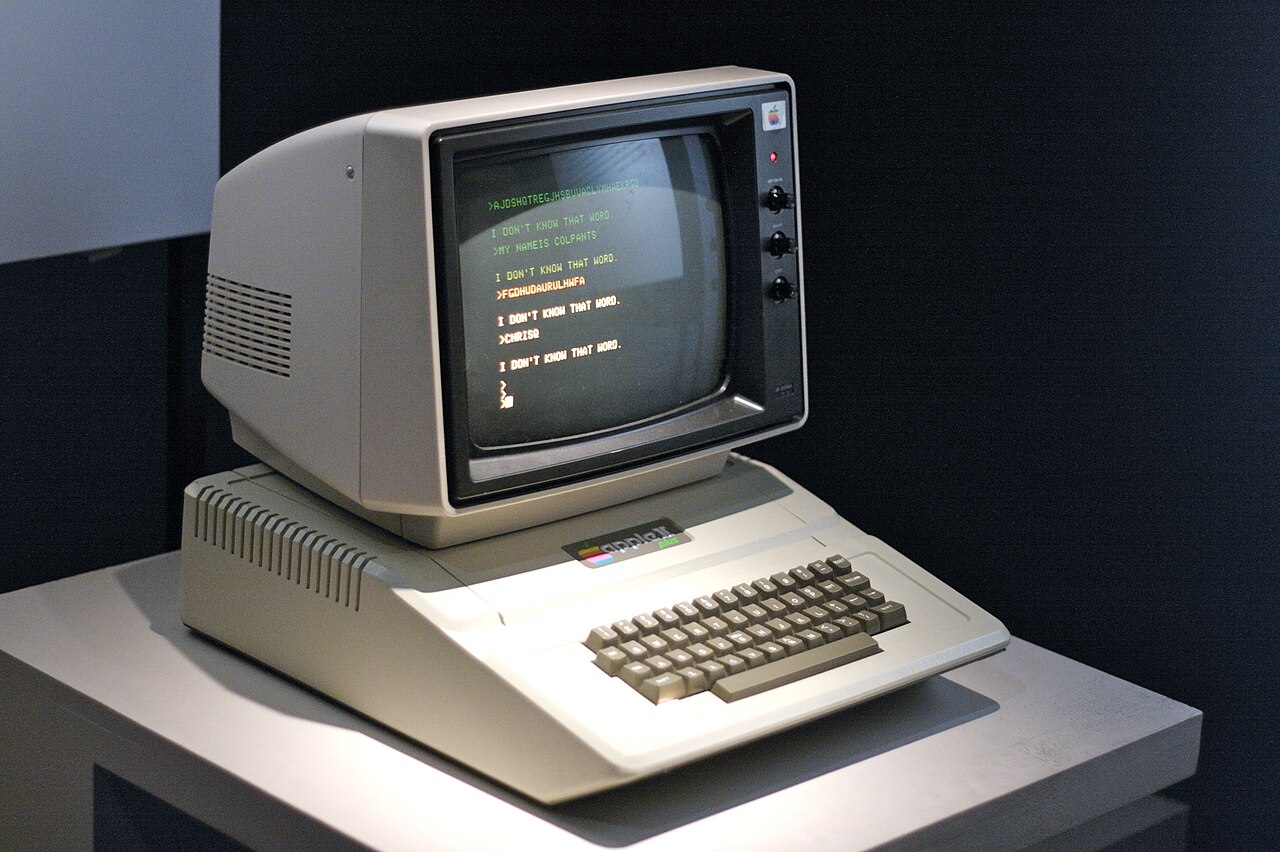
Raspberry Pi's Maker Monday post for October 26, 2026 is about emulation, not new hardware. It is an excerpt from The Raspberry Pi Guide to Retro Gaming that turns a Raspberry Pi into an Apple II using the LinApple emulator. LinApple isn't in the Raspberry Pi OS package repository, so the walkthrough compiles it from source, and that makes it more interesting than a one-line package install. It also tells readers about a second, closer-to-upstream option.
Below is what the tutorial actually does, where the software comes from, and what you need to know before you start.
Where LinApple comes from
According to the Raspberry Pi post, LinApple is a fork of AppleWin, which was originally written by Mike O'Brien. David Baucum (maxolasersquad) and other contributors got it running on Linux. The project's GitHub repository describes it as a "high-fidelity Apple ][, Apple ][+, Apple //e, and Enhanced Apple //e emulator for modern Linux and POSIX systems."
The repository lists SDL3 as the default backend. It also offers prebuilt packages and portable binaries for Linux x86_64 and ARM64, and names Raspberry Pi OS 64-bit and Ubuntu ARM as ARM64 targets, on its Releases page. The releases there are betas: the latest two are v3.0-beta-3 (September 5, 2026, marked Latest) and v3.0-beta-2 (August 24, 2026). The Pi tutorial uses neither and clones the repository's default branch, so you get whatever is current there, not a tagged release.
The Raspberry Pi post also notes that LinApple can emulate sound cards such as the Mockingboard, which is enabled by default in the configuration file.
The build, step by step
The tutorial builds LinApple from source because the emulator isn't in the Raspberry Pi OS apt repository. It first updates the system and installs a toolchain and dependencies with apt:
git g++ cmake libzip-dev libsdl3-dev libsdl3-image-dev libcurl4-openssl-dev zlib1g-dev imagemagickThe build is a standard out-of-tree cmake sequence, as the Raspberry Pi post gives it:
git clone https://github.com/linappleii/linapple.git
cd linapple
cmake -B build -DBUILD_TESTING=OFF
cmake --build build -j4
sudo cmake --install build
Two details are worth pointing out. -DBUILD_TESTING=OFF turns off the project's test build. The post says -j4 tells cmake to use as many as four CPU cores. The install step puts LinApple under /usr/local. The dependency list shows that the build needs the SDL3 development headers (libsdl3-dev and libsdl3-image-dev), not SDL2, which matches the repository's statement that SDL3 is the default.
Configuration and first boot
The tutorial copies the default configuration file and a sample disk image (Master.dsk) into your home directory, then changes two settings in ~/.config/linapple/linapple.conf:
- Joystick 0 = 4 (default 2), which lets you use the mouse as a joystick.
- Screen factor = 2.5 (default 1.0), which makes the emulator window bigger.
It then starts the emulator with a disk image in drive 1 and boots it automatically:
linapple --autoboot --d1 ~/.linapple/disks/Master.dskFrom there the chapter moves to BASIC examples, including a short program that moves a square around the screen with the W, A, S and D keys. The Raspberry Pi post says the example code is in the ch03 folder of the Raspberry Pi Press retro-guide repository on GitHub.
The other emulator: audetto's AppleWin fork
The post also points readers to audetto's AppleWin fork, which it says is regularly synchronised with the original AppleWin repository and so tracks AppleWin features more closely than LinApple does. The fork's README calls it "AppleWin on Linux": a Linux port that shares 100% of the code of AppleWin's core emulator and video generation, with audio, UI, scheduling and other peripherals reimplemented.
The choice comes down to lineage. LinApple is a fork with its own development, and its repository now lists SDL3 and ARM64 binaries. The audetto fork is meant to stay in step with upstream AppleWin's emulation core. The Raspberry Pi post does not benchmark or compare the two, and we haven't either.
Typing in programs
For something to run besides the book's examples, the post points to Lee Fastenau's collection of short programs, hosted at Apple II Programs' short programs page. The post says the programs are intentionally dense, as most are designed to be entered on one or two lines of code. The site says its listings can be pasted into an emulator or typed into a real Apple II and started with RUN. It also warns that some programs run correctly on a 1 MHz Apple II but can take minutes or hours to finish, and it recommends an emulator at full speed or an accelerated Apple II. That is one practical reason to use emulation here.
What It Means for Makers
Who it is for: Pi owners interested in 8-bit computing, educators who want to teach BASIC on the machine it was written for, and anyone who wants practice building a Linux project from source with cmake. The tutorial uses no extra hardware beyond a Pi running a desktop with a Terminal window; a mouse is optional and only matters if you want it as the emulated joystick.
What it enables: A working Apple II, Apple II+, Apple //e or Enhanced Apple //e environment, per LinApple's own description, with Mockingboard sound-card emulation and a direct path to BASIC programming. Because the build uses SDL3 and LinApple lists ARM64 binaries for Raspberry Pi OS 64-bit, it fits the 64-bit Raspberry Pi OS. The source build gets you the repository's default branch, while the Releases page offers v3.0 betas.
Price and availability: LinApple and the audetto AppleWin fork are both published on GitHub. The tutorial is an excerpt from The Raspberry Pi Guide to Retro Gaming. None of the sources we reviewed give the book's price or format, so check Raspberry Pi's own listing before buying. LinApple's latest releases are betas (v3.0-beta-3, September 5, 2026), not a stable release.
Caveats: Because you build from the default branch, the result can change from day to day. If you want a fixed version, a tagged beta release is the more predictable choice. The Apple II type-in site also warns about run times at period-accurate 1 MHz speeds, so leave the emulator at full speed for heavier listings.
