
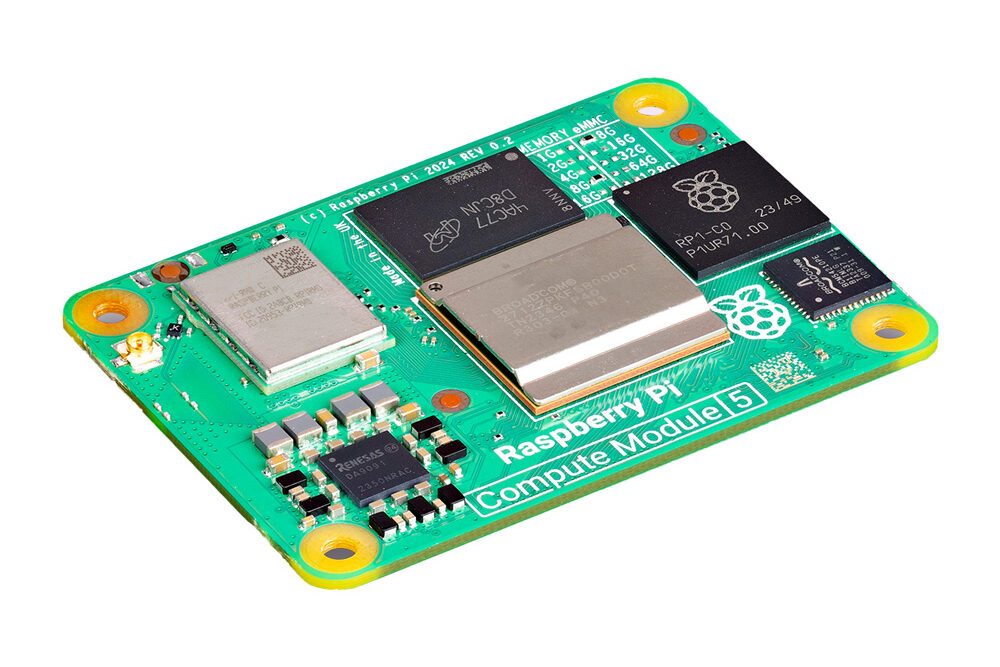
Raspberry Pi launched the Smart Display Module on 29 September 2026. It is an adapter board that lets a Compute Module 5 slot directly into displays and projectors built to Intel's Smart Display Module (SDM) specification. In the launch announcement, Raspberry Pi priced the board at $30 at launch, with the CM5 sold separately, and said it is available to buy now from Raspberry Pi Approved Resellers.
The board was developed in collaboration with Sharp Display Solutions Europe. Raspberry Pi says it works with any display or device that supports products conforming to the Intel SDM specification, and that it can also be paired with Intel SDM projectors. The module plugs into the display's SDM slot and integrates "with no external cabling or power source required."
What the board carries
Raspberry Pi's product page lists these interfaces:
- HDMI 2.0
- USB 3.0 Type-A
- USB 2.0 Type-C (for programming the CM5 only)
- Gigabit Ethernet (RJ45)
- M.2 M-key PCIe socket for 2230, 2242, 2260 and 2280 modules
- 22-way MIPI DSI/CSI-2 connector
- CR2032 RTC battery socket
- CM5 slot
- Intel SDM edge connector carrying HDMI 2.0, USB 3.0, 2x I2C, general SPI and UART
It also has support for a U.FL antenna on the CM5, a boot mode switch, an external power button, an LED indicator and mounting for the Antenna Kit. Raspberry Pi gives no power rating or dimensions.
The M.2 slot is intended for optional high-speed storage or for AI acceleration with a Hailo processor or other compatible AI accelerators.
CNX Software fills in some of the physical details. It describes the board as using the Intel SDM-L form factor and lists the power input as "+12V & +3.3V via SDM connector (TBC)", so that figure is unconfirmed. It gives the dimensions as 193 x 115 x 25 mm and the weight as 225 grams fully assembled or 146 grams as a standalone module. Wireless comes from the CM5, which CNX lists as WiFi 5 and Bluetooth 5.2, with the antenna on the U.FL connector. CNX also says the board ships with a passive aluminium heatsink and mounting screws.
Built for signage
Raspberry Pi pitches the board at high-quality, low-power display work. It lists 4K video playback and fanless, silent operation, and calls it ideal for customers who need a dependable solution for continuous 24/7 operation. The announcement names flight information display systems (FIDS), wayfinding, and retail and corporate signage as target uses, along with exhibits and immersive experiences when the board is paired with Intel SDM projectors.
The announcement quotes Jon McIntosh, founder of Media Looper, a managed digital signage service for small businesses. His company tested the module with a Sharp display for three months, and he compares it with the board Media Looper already uses: "It does everything our Raspberry Pi 5 does, with no cable, power supply, or bracket for a customer to disturb." He added: "We would deploy it as our default for any customer whose display has an SDM slot."
On software, Raspberry Pi says the module is fully compatible with numerous content management systems that already support Raspberry Pi 5 or Compute Module 5. CNX notes there is no specific software for the board and expects most users to run Raspberry Pi OS with a digital signage CMS of their choice.
Price and longevity
The $30 launch price covers only the adapter, before taxes and shipping. The CM5 is listed "from $67.50" on Raspberry Pi's site as of 20 October 2026. The Smart Display Module "will remain in production until at least January 2036".
What It Means for Makers
- You need an SDM host. The board is only useful if you have, or plan to buy, a display or projector with an Intel SDM slot. Media Looper's three-month trial used a Sharp display.
- Budget for the whole system. Add a CM5 to the adapter's cost, plus an M.2 drive or a Hailo or other compatible accelerator if your application needs one.
- Check your CMS first. If your signage platform already supports Raspberry Pi 5 or CM5, Raspberry Pi says it is compatible; otherwise plan on setting up Raspberry Pi OS and a CMS yourself.
- Treat the power figures as provisional. The only published power input is marked TBC, so check the official documentation before designing around the module's power budget.
- Where to buy. It is on sale now through Raspberry Pi Approved Resellers.
