
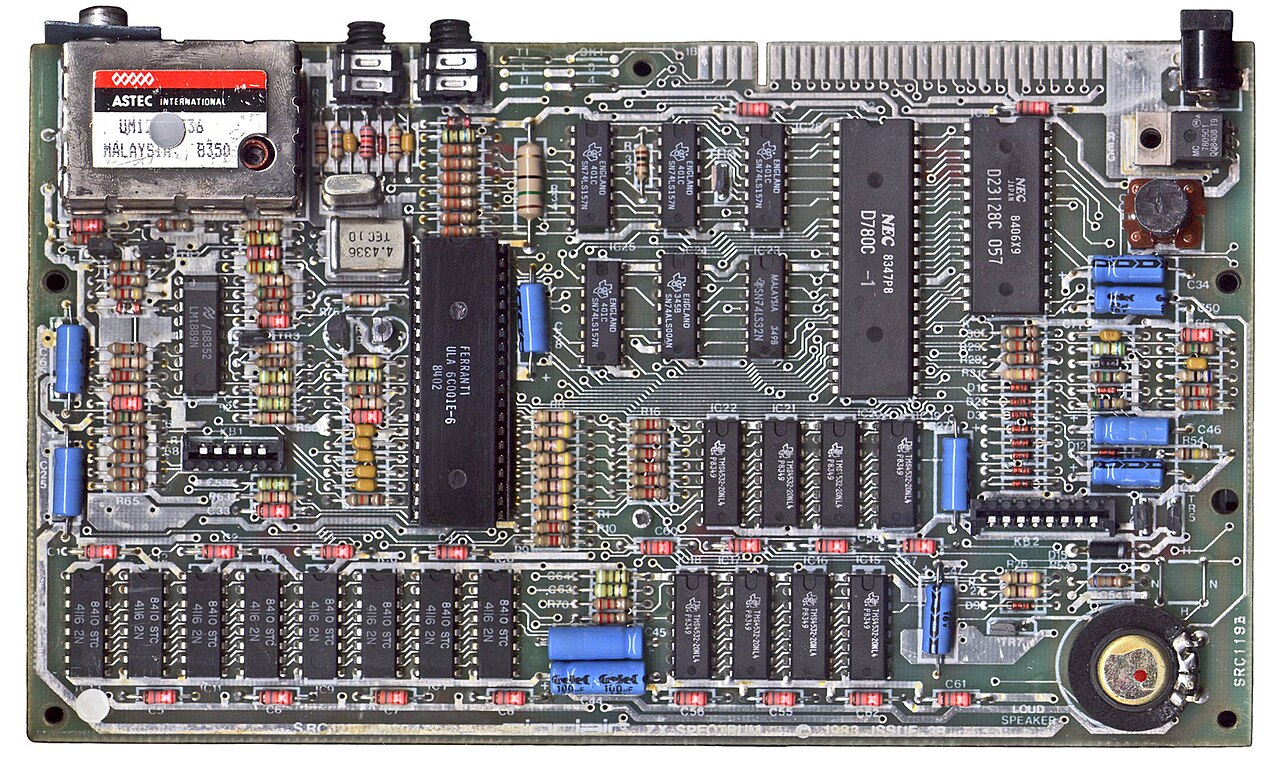
Many microcontroller retro computers emulate the CPU, so the "Z80" is a loop in C. frank-dino does it the other way round. Its v1.00 release, published on GitHub on 2026-11-01, is firmware for the dino_z80 board, where a Raspberry Pi RP2350B acts as the whole machine around a real Zilog Z84C00 sitting in a socket. The Z80 runs the code. The RP2350B plays everything else: clock, memory, I/O and video.
According to the README, the project started as a port of frank-xt8086, which does the same job for a real Intel 8086, so this is the second time the approach has been applied to a different vintage CPU. The Adafruit Blog covered the release on 2026-11-02 and called it the first firmware for the dino_z80 board.
A real CPU, a synthetic motherboard
The README is clear on the central point: the Z80 is not emulated. The Z84C00 fetches opcodes and drives its own MREQ, RD and WR bus-control lines, as it would on an original motherboard. Everything on the other side of those pins is software on the RP2350B. It supplies memory contents, decodes I/O and generates the display.
The Z80 is also clocked at the speed each target machine used. The README lists 3.5 MHz, 3.5469 MHz and 3.528 MHz depending on the model being reproduced, with 5.3 MHz and 7 MHz available on request. The README also says every port and memory handler knows its T-state, covering ULA contention and the floating bus on the Sinclair machines, and that the picture is built the way the ULA fetched it, including multicolour and border effects. Those are the areas where timing-sensitive Spectrum software, such as multicolour demos and border tricks, depends on the relationship between the CPU clock and the video frame.
The RP2350B is a reasonable choice for the job. According to the RP2350 datasheet, the B variant comes in a QFN-80 (10 x 10 mm) package with 48 GPIO and 8 analogue inputs. It has 520 kB of on-chip SRAM, dual Cortex-M33 or Hazard3 cores at 150 MHz, support for up to 16 MB of external QSPI flash or PSRAM (plus 16 MB on a second chip-select), an HSTX peripheral and 12 PIO state machines. The extra GPIO over the smaller RP2350A package matter when one chip has to face a Z80 address bus, data bus and control lines while also driving video and peripherals. The datasheet figures describe the chip. The sources do not say how frank-dino divides that work between the cores and the PIO blocks.
Memory and video
The README gives the memory layout as 128 KB of SRAM plus up to 1 MB in the board's 8 MB PSRAM, rising to 4 MB on the ATM-Turbo 3 and the ZX Evolution. That is how the large paged-memory clones in the list, the Pentagon 1024SL and Scorpion ZS-1024 among them, fit alongside the original 48K and 128K models.
Video goes out over HDMI at 640x480. The README lists support for ULA+, Gigascreen and the Timex video modes. ULA+ is the extended-palette mode. Gigascreen is the technique of alternating two frames to fake extra colours. The Timex modes are the extra video modes of the TC2048 and TC2068.
Sound, tape and disks
The audio list is long for a Spectrum. Per the README it covers the beeper, two AY chips (TurboSound), SAA1099, OPL3, YM2413 and others, all mixed to stereo PWM output.
Storage support spans most of the Spectrum's history:
- Tape images: .tap, .tzx, .pzx, .csw and .wav
- Real cassette: a cassette player's earphone output on header J8, which the Adafruit write-up also highlights
- Snapshots: .sna and .z80
- Disk and mass storage: Beta Disk, DivMMC/esxDOS and IDE
The machine list
The release notes list the following targets:
- Sinclair/Amstrad: ZX Spectrum 16K, 48K, 128K, +2, +2A, +3
- Pentagon: 128, 512, 1024SL
- Scorpion: ZS-256, ZS-1024, ScorpEvo
- Nemo: KAY-256, KAY-1024
- Others: ZXM-Phoenix; Profi 1024; ATM-Turbo 1, 2, 2+ and 3 (4 MB); ZX Evolution BaseConf; Timex TC2048 and TC2068; Didaktik Gama 89; Leningrad-1 and -2; Byte; ALF TV Game
Most of these are Eastern European and Russian clones and derivatives of the original Sinclair design. Reproducing their memory maps and video quirks on one board is a large part of the project's appeal.
Two builds, two ways to flash
The v1.00 release ships as two UF2 images:
- frank-dino-1.00.uf2: USB keyboard build, with switch S1 set to the hub position. F11 opens the file browser and F12 opens settings.
- frank-dino-1.00-console.uf2: the development build, with S1 set to USB-C so the serial console acts as the keyboard.
The README describes flashing through a Raspberry Pi Debug Probe on J4, with holding S3 and pressing S4 as the USB fallback. As Adafruit notes, the S3/S4 route means no debug probe is required: copy the .uf2 onto the drive that appears. Games and disk images go on a FAT32 microSD card, and the ROMs are built in. The firmware is licensed GPL-3.0-or-later.
What It Means for Makers
frank-dino is for people who want a Spectrum-family machine with a genuine Z80 executing the code, without hunting down and restoring an original motherboard, ULA and memory. It sits apart from software emulators, where the CPU is simulated. Here the CPU is a real Zilog part, and a modern microcontroller replaces the support logic, ROMs, RAM and video circuitry, so the board can be reconfigured from a menu to become a 48K, a Pentagon or a Timex.
It also gives educators and embedded engineers a concrete example of a microcontroller standing in for everything around a vintage CPU. That could be useful reference material for anyone attaching an RP2350-class chip to other 8-bit CPUs, and the author has now taken the approach to both an Intel 8086 (frank-xt8086) and the Z80.
On status: the firmware is released and downloadable now, as v1.00 dated 2026-11-01, under GPL-3.0-or-later. The sources cited here give no price or purchase channel for the dino_z80 board itself, and do not say whether it is sold assembled, as a kit or as design files only. Anyone wanting hardware should check the project repository directly rather than assume it is available off the shelf.
