
Most DIY WiFi survey tools end with a chart. Roni Bandini's JEV WiFi Analyzer ends with a verdict. The project, published on GitHub and covered by Hackaday on October 31, 2026, records 2.4 GHz traffic with a monitor-mode USB adapter, condenses it into structured RF measurements, and hands each measurement window to a model called Jev. Jev does not write explanations. It returns numbers that stand for bounded decisions about coverage and congestion.
The hardware is ordinary and the software is short. The more interesting question is the one Hackaday's readers asked straight away: once you have the measurements, what does the model add?
The bill of materials
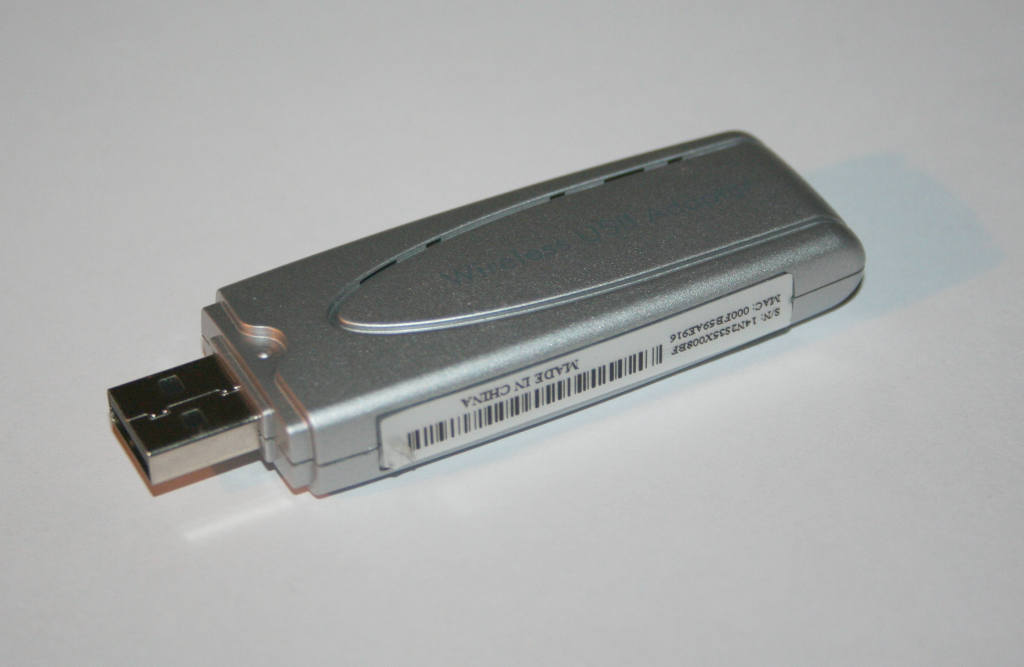
The project README describes the build as a "compact 2.4 GHz WiFi site-survey instrument built with a ZimaBoard 2, an Alfa AWUS036H USB WiFi adapter, Python, Scapy and Jev." The full hardware list is:
- ZimaBoard 2 (the host single-board computer)
- Alfa AWUS036H USB WiFi adapter
- 16 GB USB flash drive
- HDMI monitor
- USB keyboard
- Ethernet cable
The README gives the Realtek RTL8187 as the example chipset for the Alfa adapter. The RTL8187 matters because the whole design relies on passive capture, so the adapter has to support monitor mode. According to the README, the script puts the interface into monitor mode by itself, so the user does not need to set it up by hand first.
The README does not list ZimaBoard 2 specifications such as CPU, RAM or storage, and PinoutFeed is not supplying them here. All the project asks of the board is that it runs Ubuntu Desktop and handles a USB adapter and a Python process.
The software stack
The software requirements are just as short. Following the README, you install Ubuntu Desktop and then the dependencies python3-pip, python3-scapy and requests. The repository has three files, LICENSE, README.md and a single scan.py, across eight commits at the time of writing.
Scapy does the capture work. The official Scapy 2.8.0 documentation describes it as "a Python program that enables the user to send, sniff, dissect and forge network packets," able to decode packets across many protocols. Here only the sniff-and-dissect side is used: the script reads 802.11 frames from the monitor-mode interface and takes out the fields it needs, such as beacons, BSSIDs, SSIDs, signal strength and client activity.
The README's example command shows the controls:
sudo -E python3 scan.py -c 1,2,3,4,5,6,7,8,9,10,11,12,13 -t 1 -w 30The flags documented in the README are:
-c: channels to scan (1 through 13 in the example)-t: seconds to spend on each channel-w: measurement window, in seconds-i: WiFi interface-m: which Jev model to call--exportDir: JSON export directory
What gets measured
For each measurement window, the script builds two levels of telemetry. Per channel it records total frames, dwell seconds, frames per second, the number of access points, average RSSI and the number of clients. Per access point it records BSSID, SSID, channel, beacon count, beacons per second, RSSI mean, minimum and maximum, and active clients.
That gives a reasonably full picture of a 2.4 GHz band at one point in time. Frames per second shows how busy the airtime is, AP and client counts show how crowded a channel is, and the RSSI spread per AP gives a rough sense of signal stability while the window runs.
Where Jev comes in
When a window closes, the script sends the structured data to Jev through OpenRouter's Decisions API. Hackaday describes Jev as a decision-making AI model that cannot generate text or images. Its output is only numbers, each representing a bounded decision. The README lists three decisions: a coverage quality score, a congestion level (low, moderate, high or critical) and a suggested optimization action (none, power adjustment, channel plan or hardware addition).
This is a different design from attaching a chatbot to a packet sniffer. A bounded numeric output is easier to check and harder to misread than a paragraph of generated prose, and it suits a small instrument that has to show a result on a screen. Hackaday's article links its own earlier coverage of decision-making models for readers who want background on this class of model.
Two practical points follow from the architecture. First, the decision step runs in the cloud: the README requires an OpenRouter API key, so the analyzer needs a network connection to the internet to give its verdicts, which is presumably what the Ethernet cable in the parts list is for. Capture and telemetry happen locally. The decision does not. Second, the README states no pricing for OpenRouter usage, so anyone building this should check the current terms for Decisions API calls themselves.
The limits, stated plainly
The README is open about how capture works. The script hops channels one after another and does not monitor all channels at once. With one radio, it hears a given channel only for its -t dwell time per pass, so short bursts of traffic on other channels can be missed. A longer measurement window evens this out over time but does not remove it.
Coverage is also limited. The project is a 2.4 GHz instrument, and the example scans channels 1 through 13. The README says nothing about 5 GHz or 6 GHz bands, so an office or home that has moved most of its clients to those bands will get only part of the picture.
Hackaday's write-up has its own reservations. It notes that "the AI isn't making particularly deep analyses," and that the demo video is short and in Spanish only. The comments, seven when we checked, go further: several readers ask whether an AI model is needed at all, when basic statistics on the same telemetry, or the auto-channel feature built into many access points, could reach similar conclusions.
That criticism deserves a fair hearing. The per-channel numbers the script gathers, especially frames per second and AP count, are exactly what a simple scoring formula would use. Jev's possible benefit is that it combines several signals into a consistent bounded output without the user writing that formula. Whether that justifies a cloud dependency and an API key is a judgment each builder will make differently.
What It Means for Makers
The JEV WiFi Analyzer suits makers, students and home-lab users who want a dedicated, always-ready 2.4 GHz survey box instead of a laptop running a sniffer. It is also a clear, small example of passive 802.11 capture with Scapy. With one Python file, it is easy to read from start to finish, and the per-channel and per-AP telemetry is useful even if you never call Jev.
It does not replace professional multi-radio spectrum analysis or tri-band survey tools. Sequential channel hopping and 2.4 GHz-only scope rule that out. What it adds is a quick congestion and coverage reading for the most crowded WiFi band, plus a working template for connecting local sensor telemetry to a decision-only model through OpenRouter.
On availability: the project is an open-source repository on GitHub, not a commercial product, and nothing is for sale or on pre-order. The sources give no price for the hardware or the build. Builders will need to source the ZimaBoard 2 and the Alfa AWUS036H themselves and supply their own OpenRouter API key. One disclosure readers should know: the README includes a ZimaSpace affiliate link for the board.
