
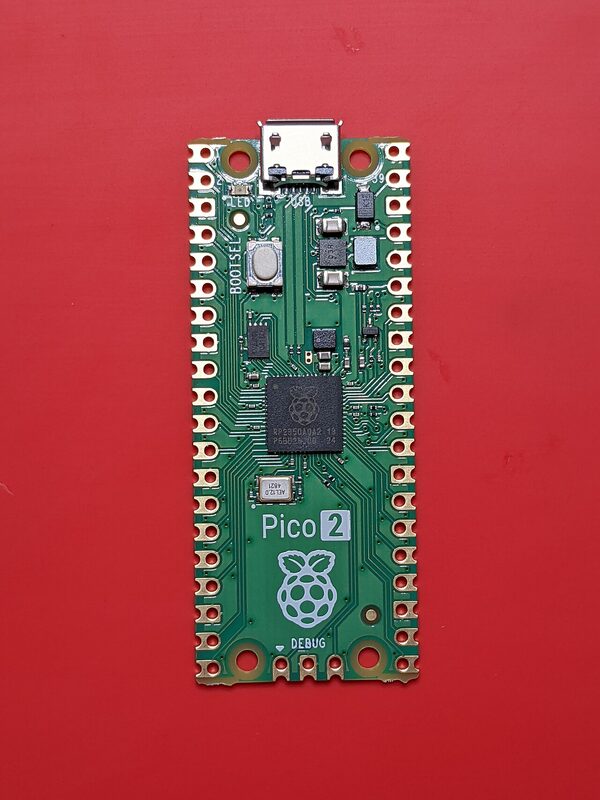
Getting a digital video signal out of a microcontroller has usually meant bit-banging TMDS from software or a PIO program, with the CPU clocked as hard as it will go. Raspberry Pi's RP2350 offers another route: a dedicated High-Speed Transmit (HSTX) peripheral. The open-source library pico_hdmi uses that peripheral for more than plain DVI. Its README describes a video and audio output pipeline that injects HDMI audio data islands, using the RP2350's hardware TMDS encoding.
The WeebLabs repository is a GitHub fork. According to the GitHub API, it was created on 25 October 2026 from the upstream fliperama86/pico_hdmi repository, which dates to January 2026 and had 141 stars when we checked. Both are released under the Unlicense, which puts the code in the public domain. We found no independent press coverage or testing, so everything below comes from the project's README, the GitHub API and the RP2350 datasheet.
The silicon underneath: what HSTX is
The RP2350 datasheet lists "1 x HSTX peripheral" among the chip's features, next to its 12 PIO state machines. The GPIO function table shows HSTX can be selected on GPIO12 through GPIO19, eight pins in total. Chapter 12.11 documents the peripheral, including a PIO-to-HSTX coupled mode.
The datasheet also describes a second TMDS option. Section 3.1.9 covers a per-core TMDS encoder in the SIO block that implements the algorithm from chapter 3 of the DVI 1.0 specification. The datasheet says the HSTX peripheral gives lower processor overhead for DVI-D output and a wider range of pixel formats, while the SIO encoders are included for use with non-HSTX-capable GPIOs.
Eight pins is exactly enough for one TMDS link: a clock pair plus three data pairs. pico_hdmi's default mapping puts CLK-/CLK+ on GPIO12/13 and the data pairs D0 through D2 on GPIO14 through GPIO19. A custom-pinout API is available for boards that permute the lanes or polarity; each GPIO from 12 through 19 must appear exactly once.
What pico_hdmi actually does
The README describes the library as an HSTX-native HDMI output library for the RP2350 (Raspberry Pi Pico 2), using hardware TMDS encoding and saying no bit-banging or overclocking is required. Its main features are:
- HSTX hardware TMDS encoding for video serialization.
- Audio Data Islands with TERC4 encoding and scheduled injection of audio samples.
- A lock-free Data Island queue for posting packets asynchronously from other cores.
- Double-buffered DMA for stable video output.
- Pad configuration set to fast slew and 12 mA drive on the HSTX pins.
Audio defaults to 48 kHz. A runtime call can switch to other rates, and the README lists 32000, 44100, 48000, 88200, 96000, 176400 and 192000 Hz as supported, with Audio Clock Regeneration N/CTS values following the HDMI specification.
Audio is what sets this apart from graphics-only HSTX boards. Adafruit's PiCowbell HSTX DVI Output for Pico uses the same RP2350 HSTX pins (GPIO 12-19) and a mini HDMI connector, but Adafruit notes that it does not do audio, just graphics. Data islands are what let an HDMI stream carry sound alongside the picture.
The mode table
The README lists three compile-time video modes. The figures below are copied from the project's documentation:
| Mode | Output | Pixel clock | sys_clk | Notes |
|---|---|---|---|---|
| Default | 640x480 | 25.2 MHz | 126 MHz | CEA VIC 1, negative sync |
| VIDEO_MODE_320x240 | 1280x240 (true 240p) | 25.2 MHz | 126 MHz | 4x pixel repetition |
| VIDEO_MODE_1280x720 | 1280x720 @ 60 Hz | 74.4 MHz | 372 MHz | Experimental; CEA VIC 4, needs 1.3 V core voltage |
In all three modes sys_clk works out to five times the pixel clock (126 = 5 x 25.2, and 372 = 5 x 74.4). That is why 720p is so demanding: a higher-resolution mode needs a much faster core in this design.
The 720p mode needs a 372 MHz system clock and a raised 1.3 V core voltage, and the README marks it experimental. Readers should take that label seriously. Running silicon at a raised voltage and well beyond the 480p operating point is a choice each builder makes for their own board. The README also says weaker default pad settings can produce corruption or sync loss at 720p, which is why the library sets fast slew and 12 mA drive.
The 240p mode is aimed at retro gaming. The README calls it a true 240p mode with HDMI pixel repetition for retro gaming scalers and names the Morph4K, RetroTINK 4K and OSSC as targets. A true 240p source lets such devices apply their own scanline and scaling handling rather than working on a pre-doubled image.
The repository also exposes two runtime mode descriptors, 960x720 (56.0 MHz pixel clock) and 1024x768 (64.8 MHz). The README marks both "Compile-tested, not hardware-validated." In other words, they build, but the project does not claim a picture has been confirmed on hardware.
Stable baseline and the 2.0 beta
The README points to v0.0.6 for anyone who needs the older stable API and behaviour, and says the 2.0-beta branch is not yet the recommended stable baseline for every application. The beta adds opt-in precomposed active-line templates, which reduce scanline interrupt work, and a native 16-bit pixel path in which a callback returns RGB565 half-width scanlines for 2x modes while DMA and HSTX duplicate pixels horizontally. The README targets apps close to the scanline timing limit, such as those doing heavy per-line work, overlays or audio data islands.
What It Means for Makers
The library fits several groups. If you build RP2350 projects that need HDMI with sound, it handles audio in the data islands without extra hardware on the audio side. Retro-gaming and emulator builders get a 240p output designed for scalers they probably already own. And for anyone studying digital video, the code is a compact, public-domain example of TMDS framing, TERC4 data islands and HDMI audio clock regeneration on a cheap microcontroller.
On the electrical side, the library uses the same eight HSTX pins that boards such as Adafruit's PiCowbell HSTX DVI Output already break out to a mini HDMI connector. The pin order differs, though. Adafruit's listing puts D0 on GPIO12/13 and the clock on GPIO14/15, while pico_hdmi's default mapping puts the clock on GPIO12/13. Check that board's documentation, and expect to use the custom-pinout API if the routing does not match.
The default 480p mode runs at a 126 MHz sys_clk with hardware TMDS encoding, so you are not bit-banging video and the README says no overclocking is needed. The scanline callback does run during a short horizontal blanking window, roughly 6 microseconds, so heavy per-line processing belongs elsewhere. The 720p mode is a different matter. Treat it as an experiment, not a feature to build a product on.
Price and availability: pico_hdmi is free software under the Unlicense. The WeebLabs fork was created on GitHub on 25 October 2026. It is a software library, not a hardware product, so there is nothing to pre-order or buy from the project. You need an RP2350-based board with the HSTX pins (GPIO12-19) wired to an HDMI connector. The sources consulted do not give hardware prices.
Caveats: We found no independent testing or coverage. The 720p mode is experimental and needs a raised core voltage. The 960x720 and 1024x768 descriptors have not been validated on hardware, and the 2.0 beta is not the recommended stable baseline.
