
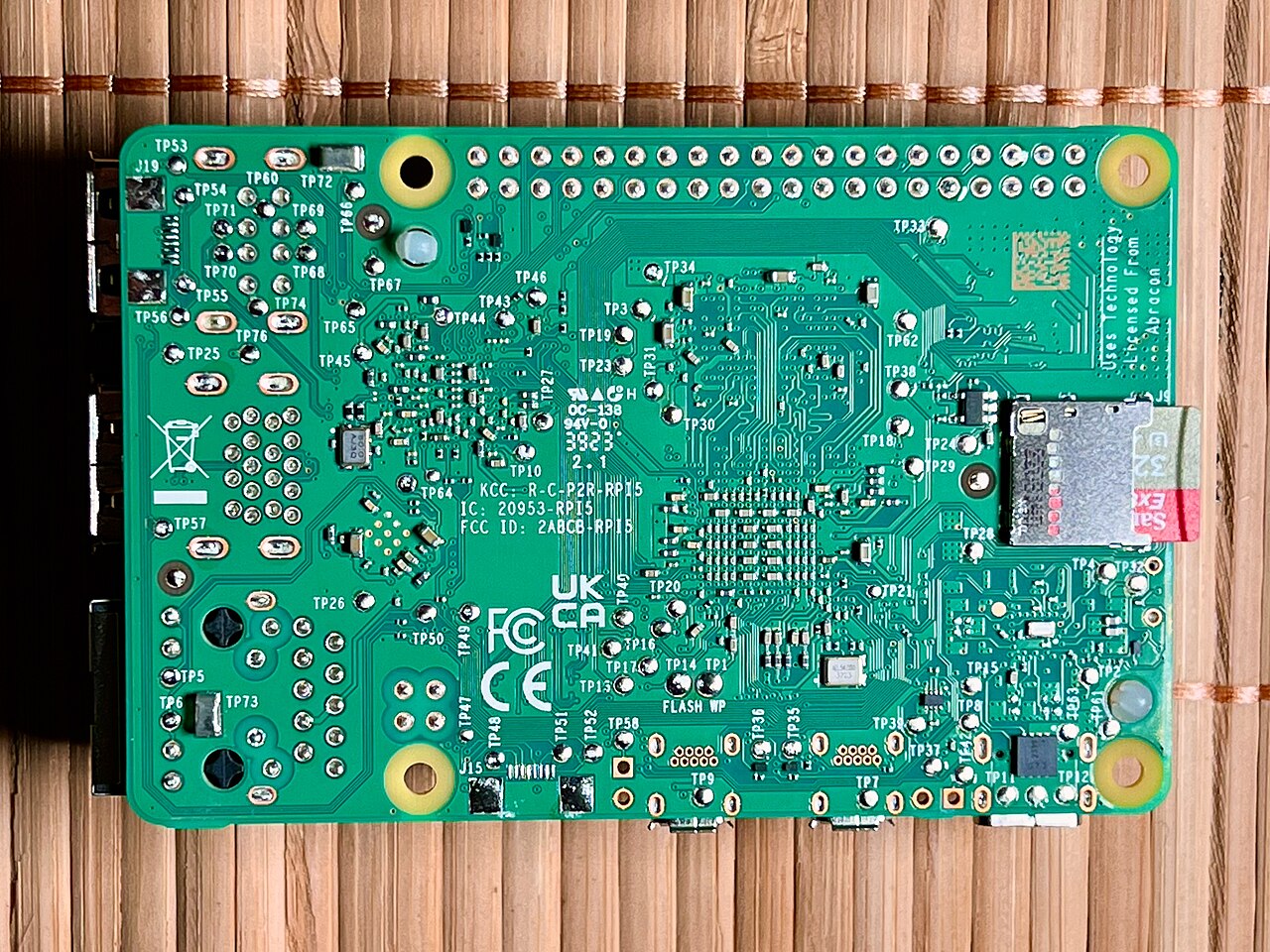
On 27 November 2026, Raspberry Pi's news site ran a Raspberry Pi Official Magazine tutorial by editor Lucy Hattersley. It turns a Raspberry Pi 5 into a dedicated remote-play box for an Xbox. The headline invokes GTA VI, but the setup is just a streaming client, so it should work with whatever game the console runs. The Pi runs Greenlight, an open-source client for xCloud and Xbox home streaming. It gets the console's output onto another screen in the house, and the board's job is limited to decoding video and passing controller input back. The build ends with the Pi booting straight into a fullscreen stream, so it behaves like a single-purpose appliance rather than a desktop computer.
Where the work happens
The design is lopsided on purpose. In Hattersley's words, CPU demands on the Pi are relatively light because the Xbox does the heavy number crunching. The console renders the game, and the Pi streams the video and sends controller input back. For this tutorial she used a Raspberry Pi 5 with 2GB of RAM. The article also says you will get good results on any Raspberry Pi with a good local network connection.
The board still matters, though. The tutorial says the Pi 5 offers "significantly better performance" for this kind of application than a Raspberry Pi 4 or Zero 2, and it says the VideoCore VII GPU is roughly three times faster on the Pi 5 than on the Pi 4. Raspberry Pi does not publish latency, resolution or frame-rate figures for this setup, so we can't quote any. Treat "significantly better" as the vendor's own qualitative judgement, not a benchmark.
The network is the other variable. The parts list asks for a local network over Wi-Fi or, ideally, Ethernet.
What Greenlight is
Greenlight is a community project, not a Microsoft or Raspberry Pi product. According to its GitHub README, it is an open-source client for xCloud and Xbox home streaming written in JavaScript and TypeScript, built as an application wrapper around xbox-xcloud-player. It runs on Linux, macOS, Windows and Steam Deck. The README lists these features:
- video and audio streaming from Xbox One and Xbox Series consoles
- gamepad support
- rumble on xCloud
- keyboard controls
- a built-in online friends list
The project is MIT-licensed. At the time of reading it had about 3.0k stars and 205 forks, and the README carries a disclaimer that it is not affiliated with Microsoft, Xbox or Moonlight. The latest tagged release on the repository is v2.4.2, dated 5 June 2026. Before that came v2.4.1 on 11 December 2025. The Raspberry Pi tutorial installs the Flatpak build listed on Flathub under the ID io.github.unknownskl.greenlight.
The tutorial describes Greenlight as streaming from Xbox One and Xbox Series X/S consoles, but its parts list names an Xbox Series X or Series S, and that is the console the magazine used. Anyone hoping to use an older Xbox One should note that the build was described around a Series console.
The build, in outline
This is a software-only project with no wiring. The tutorial's parts list is a Raspberry Pi 5, a Bluetooth controller, Greenlight, a local network and an Xbox Series X or S. Here is a summary of the steps.
Console side. On the Xbox, open Settings > Devices & connections > Remote features and tick Enable remote features. Set the console's power mode to Sleep rather than the default Shutdown. The tutorial explains that this lets the Pi wake the Xbox when it wants to connect remotely.
Pi side. Start from a fresh Raspberry Pi OS install connected to the same network as the Xbox. Install Flatpak with sudo apt install flatpak, add the Flathub remote, then run flatpak install flathub io.github.unknownskl.greenlight. The magazine paired an 8BitDo Pro 2 controller over Bluetooth through the desktop.
Sign-in. Greenlight shows an eight-digit code. You enter it at microsoft.com/link, signed in to the same Microsoft account as the Xbox.
Appliance mode. For the single-app console setup, the tutorial runs Greenlight with flatpak run io.github.unknownskl.greenlight --fullscreen --connect=<Console ID>. That command goes into an autostart entry at ~/.config/autostart/greenlight.desktop, and Desktop Autologin is turned on in raspi-config. After that, the Pi boots into Greenlight and connects to the console without a manual launch.
No controller? Greenlight has a keyboard mapping. The tutorial lists it as: D-pad on the keypad direction keys, the A/B/X/Y buttons, Backspace as B and Enter as A, the Xbox button on N, bumpers on [ and ], triggers on - and =, View on V and Menu on M. That's fine for menus and testing. For actual play, the tutorial uses a Bluetooth controller.
Why this is a tidy Pi project
Most Pi media builds push the board's decode and network limits. This one leans on them by design. The Xbox does the rendering and the Pi is a thin client. That's why the tutorial can get by with a 2GB Pi 5, the configuration it used. The autostart-plus-autologin approach is a familiar Raspberry Pi OS kiosk pattern, and you could reuse it for other single-app devices.
The project also depends on things outside the maker's control. Greenlight relies on Xbox's remote-play features and a Microsoft account sign-in. It is an unaffiliated, community-maintained client, so how well it keeps working depends on that project keeping pace with Microsoft's service. On GitHub, the latest releases are v2.4.1 (December 2025) and v2.4.2 (June 2026).
What It Means for Makers
Who it is for: Xbox Series X or S owners who already have a Raspberry Pi 5, or want an excuse to buy one, and would like to play in another room on a spare TV or monitor without moving the console. It also suits educators and hobbyists who want a self-contained example of a Pi as a thin client with a kiosk-style boot.
What it replaces or enables: It gives you a dedicated remote-play endpoint built on an open-source client. Instead of tying up a laptop or desktop to stream, you leave a Pi 5 attached to the second screen, booting straight into a fullscreen Greenlight session. If you skip the autostart step, the same Flatpak runs as an ordinary desktop app.
Price and availability: Neither the tutorial nor the Greenlight project gives a price for the Pi, controller or console, so we won't quote one. Greenlight is open-source under the MIT license, available now on GitHub (latest tagged release v2.4.2, 5 June 2026) and as a Flatpak on Flathub. The tutorial was published 27 November 2026 and starts from a fresh Raspberry Pi OS install with no extra hardware beyond the parts list. The hardware it names is a Raspberry Pi 5 (2GB was used), a Bluetooth controller (an 8BitDo Pro 2 in the magazine's build), an Xbox Series X or S, and a local network, ideally wired.
