
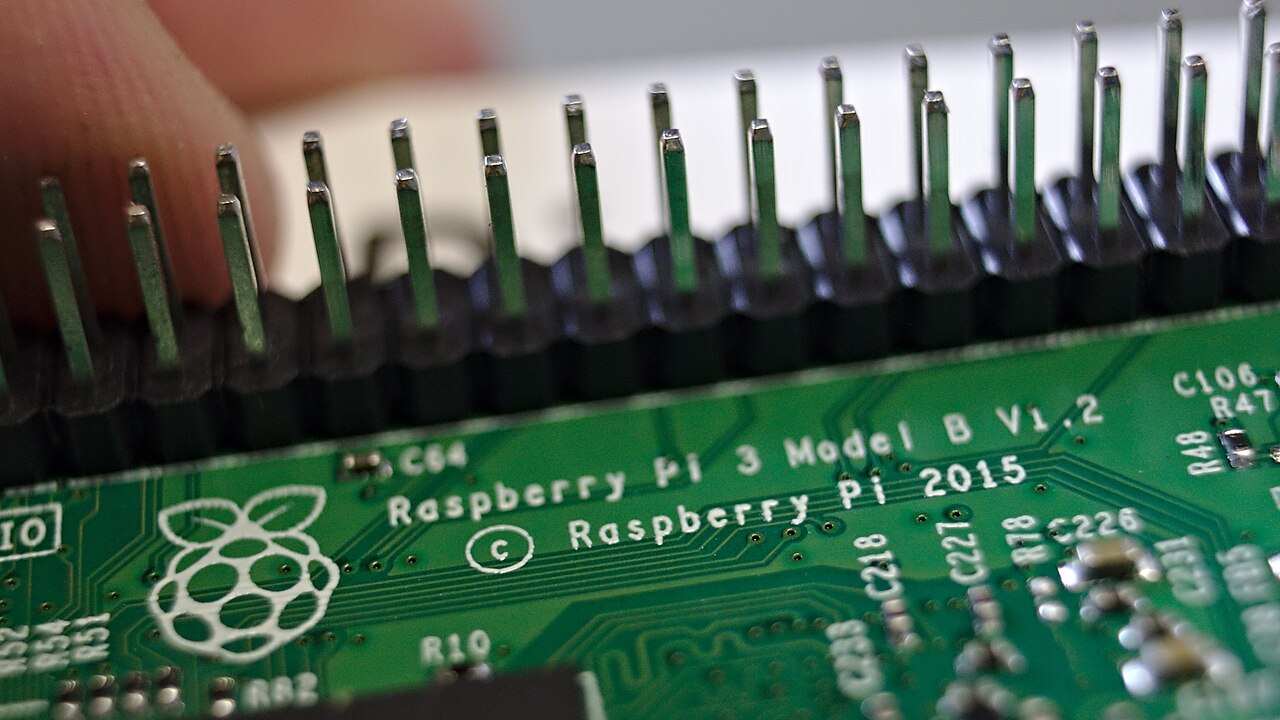
Every current Raspberry Pi board has a 40-pin GPIO header, on a 0.1 in (2.54 mm) pitch, and it is the single most common place for a project to go wrong. The pins are easy to reach and easy to misuse: the header carries 5 V next to 3.3 V logic, and the documentation's limits on current are tighter than many people assume. This guide collects the pin map, the voltage rules and the current figures from Raspberry Pi's own documentation (as published in October 2026), and points out where the numbers differ between board generations.
On Zero boards without the "H" suffix, the documentation notes that the header is unpopulated, so you'll need to solder one on first.
The 40-pin map
Pin 1 is the 3V3 pin at the corner of the header. Odd numbers run down one row and even numbers down the other. The GPIO labels are Broadcom (BCM) GPIO numbers, which is what most software libraries expect; they are not physical pin numbers. This table follows the official pinout diagram in Raspberry Pi's GPIO documentation.
| Function | Pin | Pin | Function |
|---|---|---|---|
| 3V3 power | 1 | 2 | 5V power |
| GPIO 2 (SDA) | 3 | 4 | 5V power |
| GPIO 3 (SCL) | 5 | 6 | Ground |
| GPIO 4 (GPCLK0) | 7 | 8 | GPIO 14 (TXD) |
| Ground | 9 | 10 | GPIO 15 (RXD) |
| GPIO 17 | 11 | 12 | GPIO 18 (PCM_CLK) |
| GPIO 27 | 13 | 14 | Ground |
| GPIO 22 | 15 | 16 | GPIO 23 |
| 3V3 power | 17 | 18 | GPIO 24 |
| GPIO 10 (MOSI) | 19 | 20 | Ground |
| GPIO 9 (MISO) | 21 | 22 | GPIO 25 |
| GPIO 11 (SCLK) | 23 | 24 | GPIO 8 (CE0) |
| Ground | 25 | 26 | GPIO 7 (CE1) |
| GPIO 0 (ID_SD) | 27 | 28 | GPIO 1 (ID_SC) |
| GPIO 5 | 29 | 30 | Ground |
| GPIO 6 | 31 | 32 | GPIO 12 (PWM0) |
| GPIO 13 (PWM1) | 33 | 34 | Ground |
| GPIO 19 (PCM_FS) | 35 | 36 | GPIO 16 |
| GPIO 26 | 37 | 38 | GPIO 20 (PCM_DIN) |
| Ground | 39 | 40 | GPIO 21 (PCM_DOUT) |
That gives you two 5 V pins (2 and 4), two 3.3 V pins (1 and 17), eight grounds (6, 9, 14, 20, 25, 30, 34 and 39) and 28 GPIOs. If the board is in front of you, the documentation suggests running pinout in a terminal; the tool comes from the GPIO Zero library, which ships with Raspberry Pi OS.
Voltage: 3.3 V logic, with 5 V next door
The documentation is direct about this. Apart from the two 5 V pins, the two 3.3 V pins and the grounds, "the remaining pins are all general-purpose 3.3 V pins, meaning outputs are set to 3.3 V and inputs are 3.3V-tolerant." Its wiring warning adds: "Do not use 5V for 3.3V components." In practice, a 5 V sensor output, a 5 V Arduino TX line or a 5 V-powered module's data pin has to be level-shifted or divided down before it reaches a GPIO. A shifter board like the ones Olimex recently released is the simple fix.
The input thresholds differ by SoC. For BCM2835, BCM2836, BCM2837 and RP3A0 boards (for example Raspberry Pi 3 and Zero), the documentation gives a maximum input-low voltage of 0.9 V and a minimum input-high voltage of 1.6 V. For BCM2711 boards (the 4-series), those become 0.8 V and 2.0 V. The documentation's electrical tables stop at the 4-series. On Raspberry Pi 5, GPIO is handled by the RP1 I/O controller rather than the main SoC, so use RP1's documentation for Pi 5 figures rather than borrowing the BCM2711 values. The RP1 peripherals datasheet lists selectable pad drive strengths of 2, 4, 8 or 12 mA.
Current: what the drive-strength numbers really mean
This is where most misreadings happen. Each GPIO pad has a programmable drive strength: 2 mA to 16 mA in 2 mA steps on the BCM283x-family pads that the documentation's pad-control section describes, and 2, 4, 8 or 12 mA on Pi 5's RP1. The documentation states plainly that this setting "is not the current that the pad will deliver, and is not a current limit." It is the maximum current at which the pin is still guaranteed to hold a valid logic level. Short a high output to ground and the pad will deliver as much current as its internal resistance allows. In the documentation's words, "in due time it will fail."
The key figures, as Raspberry Pi gives them:
- Per-pin safe current (BCM283x-family pads): "All the electronics of the pads are designed for 16 mA. This is a safe value under which you will not damage the device." Beyond that, "there is no guaranteed maximum safe current."
- Default drive strength: 8 mA on BCM2835, BCM2836, BCM2837 and RP3A0 boards, with a 16 mA maximum setting. On the 4-series the default is 4 mA and the maximum is 8 mA; the documentation warns that "on 4-series devices, the current level is half the value shown" in its drive-strength diagram.
- Whole-header budget: the documentation's table of typical current draws for onboard interfaces, which is not broken out by model, lists GPIO pins (combined) at "50 mA maximum" and an individual GPIO pin at "up to 16 mA".
- Why the total is low: "The Raspberry Pi 3.3 V supply was designed with a maximum current of ~3mA per GPIO pin." The documentation's own example is to load every pin at 16 mA, for a total of 272 mA, at which point "the 3.3 V supply will collapse," with current spikes likely to disturb the SD card or even the SDRAM.
The practical rule is to treat GPIO pins as signal lines rather than power outputs. Fit a series resistor to every LED, as the documentation instructs, and drive anything hungrier (relays, LED strips, motors) through a transistor, MOSFET or driver board. The documentation is explicit about motors: "Do not connect motors directly to the GPIO pins," and use an H-bridge or motor controller board instead.
I2C, SPI and UART pins
I2C: data is GPIO2 (pin 3) and clock is GPIO3 (pin 5). The documentation notes that GPIO2 and GPIO3 "have fixed pull-up resistors," unlike other pins, whose pulls are set in software. That suits I2C, but it means these two pins read high when nothing is connected, so don't use them for a button that expects a pull-down.
SPI: SPI0 is on MOSI GPIO10 (pin 19), MISO GPIO9 (pin 21), SCLK GPIO11 (pin 23), CE0 GPIO8 (pin 24) and CE1 GPIO7 (pin 26). SPI1 uses MOSI GPIO20 (pin 38), MISO GPIO19 (pin 35), SCLK GPIO21 (pin 40), CE0 GPIO18 (pin 12), CE1 GPIO17 (pin 11) and CE2 GPIO16 (pin 36). SPI1 is available on every model except the original Raspberry Pi 1 Model A and Model B. The 4-series adds SPI3 to SPI6 through alternate pin functions. On Raspberry Pi 5, SPI comes from RP1, which has nine SPI controllers. Six are routed to GPIO bank 0, while SPI6, SPI7 and SPI8 are internal and do not reach the 40-pin header.
UART: TX is GPIO14 (pin 8) and RX is GPIO15 (pin 10). On every model except Raspberry Pi 5, that is where the primary UART appears. On Pi 5 the primary UART goes to the dedicated three-pin debug header labelled UART by default. Two config.txt settings move output to GPIO14 and GPIO15: enable_rp1_uart=1 routes later firmware debug messages there, and enable_uart=1 sends kernel logging there when no cable is plugged into the debug header.
PWM: hardware PWM is available on GPIO12, GPIO13, GPIO18 and GPIO19; software PWM works on any pin.
Pins to leave alone
GPIO0 and GPIO1 (physical pins 27 and 28) are present on the header but, per the documentation, "reserved for advanced use." They are labelled ID_SD and ID_SC on the pinout because they carry the I2C bus that the documentation lists as "EEPROM Data" and "EEPROM Clock," used to identify an attached HAT. Wiring your own sensors there invites conflicts.
Also bear in mind that every GPIO reverts to an input at power-on reset, with most pins having a default pull applied. Anything that must stay off during boot, such as a relay or a motor driver enable line, needs an external pull resistor to hold it in a safe state until your code runs.
The 5 V pins and powering the board
Pins 2 and 4 are the header's two 5 V power pins, and official accessories draw from them: the documentation's Touch Display 2 instructions connect its red power lead to pin 2 and ground to pin 6. Raspberry Pi doesn't publish a single current rating for these pins in the pages cited here, so your budget is whatever the supply can deliver after the board and its USB devices take their share.
Supply requirements vary by model. All models need a 5.1 V supply. Raspberry Pi recommends a 3 A USB-C supply for Raspberry Pi 4 and a 5 A (27 W) supply for Raspberry Pi 5, and Pi 5 limits downstream USB devices to 600 mA unless it detects a 5 A-capable supply, in which case it allows 1.6 A. On Raspberry Pi 5, the bootloader setting PSU_MAX_CURRENT tells the firmware to skip USB power-delivery negotiation and assume a given supply rating; the configuration reference recommends it for bench power supplies, giving a supply connected to the GPIO header as the example. Low-voltage detection on every model since the B+ (except the Zero range) logs a warning if the supply drops below 4.63 V (±5%).
What It Means for Makers
The safe working model for the 40-pin header is simple. Every GPIO is a 3.3 V signal pin, not a power source. Keep each pin's load well below the maximum drive setting for your board (16 mA on BCM283x boards, 8 mA on the 4-series, 12 mA on Pi 5's RP1), and keep the whole header within the documentation's 50 mA combined figure. Level-shift anything at 5 V, and remember that the documentation says a shorted output will fail "in due time," so a wiring mistake can appear to work for a while.
The bigger trap is the generation gap. The detailed electrical tables in the documentation cover the BCM283x/RP3A0 family and the BCM2711 4-series, and the 4-series pads are weaker, with an 8 mA maximum drive setting. Raspberry Pi 5 moved GPIO, SPI and UART onto RP1, which changes the pad drive strengths, the SPI controller count and where the default serial console appears. If a tutorial was written for a Pi 3, check it against the documentation for your board before you copy its wiring. Pi 5 is also the model most affected by supply choice, and it has become more expensive in some configurations: Raspberry Pi raised 2GB Pi 4 and Pi 5 prices in October 2026.
Sources
- Raspberry Pi hardware documentation: GPIO and the 40-pin header, GPIO pads control, power supply (Raspberry Pi)
- GPIO and the 40-pin header, documentation source (raspberrypi/documentation on GitHub)
- GPIO pads control, documentation source (raspberrypi/documentation on GitHub)
- Power supply, documentation source (raspberrypi/documentation on GitHub)
- Serial peripheral interface (SPI), documentation source (raspberrypi/documentation on GitHub)
- Configuration: interfaces and UARTs, documentation source (raspberrypi/documentation on GitHub)
- Raspberry Pi bootloader configuration (PSU_MAX_CURRENT), documentation source (raspberrypi/documentation on GitHub)
- Configuration reference: power supply properties (PSU_MAX_CURRENT for bench supplies), documentation source (raspberrypi/documentation on GitHub)
- RP1 Peripherals datasheet: GPIO pads (Raspberry Pi)
- Touch Display 2 setup, documentation source (raspberrypi/documentation on GitHub)
